Voice Agent setup: greeting and memory
The Voice Agent answers in conversation instead of a keypad menu. Set it up so it sounds like your business, knows your business, and stays inside what you actually offer.
Step 1 — Turn the agent on for your organisation
- In the portal, open Assistant, then click the AI Voice Agent node to open its panel. There is no separate organisation-profile settings page for this in the account captured here.
- Turn the agent on, and decide whether it answers all calls, or whether the Phone Tree answers first and hands over to the agent at a chosen point.
- On Standard you have 200 AI minutes a month included; on AI, 1,000. The agent falls back to the Phone Tree if those minutes run out, so callers never hit a dead line.
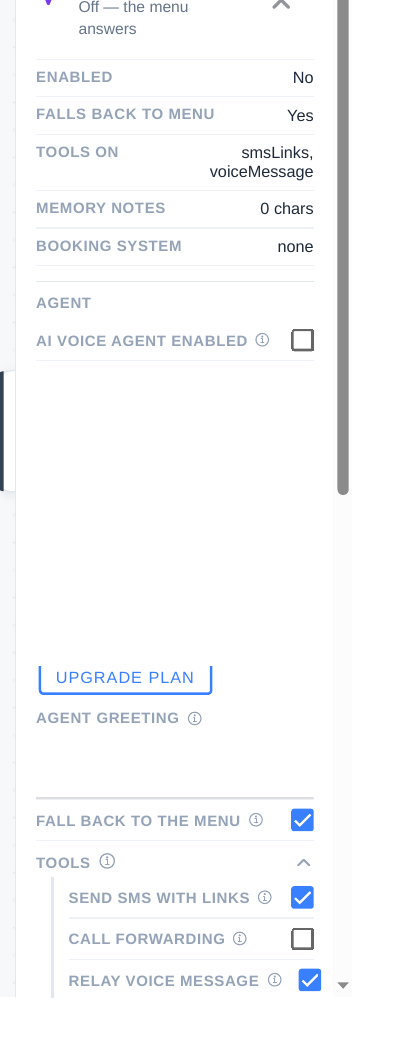
Step 2 — Write the greeting and the notes
- Greeting: one or two sentences — who you are and how you can help. Example: “Hello, you have reached Riverside Mobile Vet. How can I help you today?”
- Memory and notes: write the facts the agent must know — hours, service area, what you do and do not offer, and how you like pricing handled. Your notes win over website content when they conflict.
- Tone, in notes: the panel as captured has no separate tone or voice-style control. Put tone in the greeting and notes instead — warm and direct, for example — and what it should never promise, such as a slot it has not checked.
Step 3 — Connect your website knowledge
- Point the agent at your own website so it can build a knowledge snapshot from your pages.
- Check the snapshot for anything outdated, and correct it in your notes rather than editing the website just for the agent.
- Re-check after you change your website — the snapshot refreshes from your site, so outdated pages can return if you do not fix the source.
Tip: Write notes as rules, not paragraphs. “Never quote a price without checking the pricing list” works better than a long essay about pricing philosophy.
Checklist
- Agent turned on, and its entry point chosen
- Greeting written
- Notes cover hours, area, services, and pricing rules
- Website snapshot checked